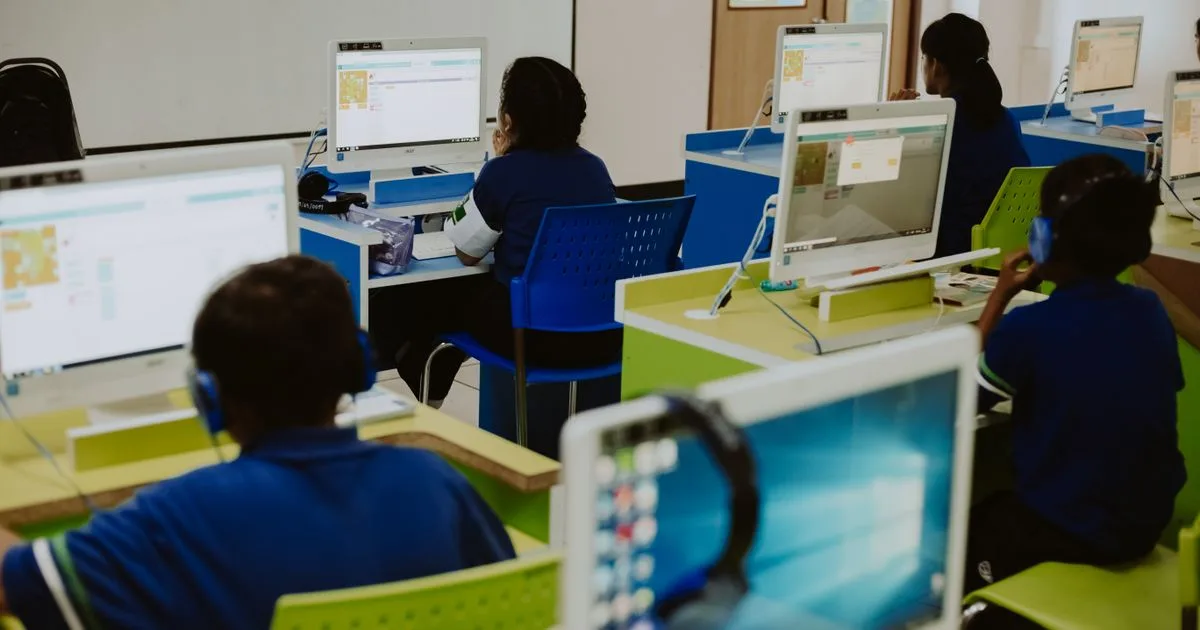
School IT should be tested when a class signs in together and when the next group takes over the same devices. Plan classroom Wi-Fi, accounts, shared computers and support around those moments. The school-day checklist below helps a Riyadh private school or training center check whether the setup supports teaching before accepting it.
For a Riyadh campus, the plan should include the actual buildings, teaching schedule, installation access and available support. A private school with synchronized lessons and a training center with evening cohorts may need different coverage even when they have similar device counts.
Start with the timetable and rooms
Map classrooms, labs, administration areas, staff rooms and shared spaces. Record the applications used in each, typical device types and the number expected to be active at the same time. Include the transitions when many learners sign in, download material or move between rooms.
Ask teachers and instructors which activities are essential. A presentation from a staff laptop, a browser-based assessment and a class using specialist software create different requirements. Record the application's support contact and any device or connectivity requirements it publishes.
For an illustrative workload, suppose three rooms each start an online activity with 24 learner devices and one teacher device. That is 75 devices in those rooms before other campus use is counted. Give the designer the room locations, client types and application behavior as well as that number. It does not translate directly into an access-point count or a bandwidth purchase.
Separate the needs of learners, teaching staff, administration and visitors. Finance and admissions workflows may continue while classrooms are closed. Evening courses may extend beyond the main office's support hours. Put those differences into the service schedule rather than treating the entire site as one uniform workload.
How much classroom Wi-Fi capacity is needed?
Design for concurrent use and actual applications as well as coverage. HPE Aruba's capacity guide for large public venues distinguishes usable throughput, device counts and the limits of rough sizing calculations. Those concepts help frame the capacity discussion; its venue examples and sizing assumptions should not be adopted as classroom specifications. HPE Aruba bandwidth and capacity planning.
Have the wireless designer consider room construction, neighboring coverage, client capabilities and the teaching workload. Validate the proposed design with representative devices in the rooms that matter. A speed test on one administrator's laptop cannot establish how a full class will behave.
Agree what successful use looks like: learners can sign in, obtain lesson material and complete the required activity under representative concurrent load. Before testing, ask the teaching team to set acceptable activity-start and changeover times based on the lesson plan. Record the room, applications, active device count and observed times, rather than marking the whole session simply “Wi-Fi passed.” These are institution-defined acceptance criteria, not universal performance thresholds. Record any room-specific limitations and resolve them before the teaching team depends on the system. The business Wi-Fi guide explains broader procurement questions; campus acceptance should use your timetable and applications.
Give each role the access it needs
Create an access matrix for students or trainees, teachers, administration, IT support and guests. Identify the owner of each system and who approves access changes. Include temporary instructors and short-course participants, whose access may need a defined end date.
Test both intended access and intended restrictions. A learner should reach the assigned materials without gaining access to administrative records. A teacher's permissions should reflect the approved teaching role. Guest access should follow the institution's approved policy for visitors.
Assign the account lifecycle to named teams: who creates accounts from enrollment or staffing records, who corrects mistakes and who closes access when someone leaves. Give teaching staff a practical route for reporting an access problem without sharing passwords or attempting unauthorized changes.
Keep information-handling and access decisions with the institution's responsible owners. The technical project should implement and verify the approved requirements rather than infer them from the fact that the site is a school.
Decide how shared devices will work
Document which devices are assigned to individuals and which rotate between classes. For shared equipment, specify how users sign in and out, where work is saved, what happens to previous-session data and who can install applications.
Microsoft's education deployment guidance describes several Windows enrollment approaches, including provisioning packages and Windows Autopilot. The appropriate method depends on the selected environment and requirements. Verify current eligibility and licensing for the exact institution and plan before relying on a management feature. Microsoft education device-deployment planning.
Pilot the chosen configuration with two consecutive groups using test accounts and sample work. Ask the first group to complete the normal activity, save its work and sign out. Have the second group sign in and check that the required applications are ready and the previous group's private session is inaccessible.
Check that the first group's saved work remains available through its intended storage when those users return. Record the changeover time against the actual timetable. If a lesson loses its opening minutes to account cleanup or missing applications, assign the fix before extending the configuration to more rooms.
Include charging, storage, asset identification and replacement handling in the operational plan. These practical tasks need owners even when device configuration is automated.
What should a school-day acceptance test include?
Use this proposed checklist with the institution's actual roles, applications and success criteria. For each test, record the room, device count, observed result and person accepting it.
| Moment in the day | Test | Evidence and owner |
|---|---|---|
| Before the first session | Staff sign in and access lesson resources | Instructor confirms required material is available |
| Simultaneous class start | Representative learners connect and open the assigned activity | IT records device count, room and application results |
| Shared-device changeover | First group signs out; next group starts | Teacher verifies session separation and readiness |
| Administration period | Authorized staff use their required systems | System owner confirms access and restrictions |
| Visitor arrival | Guest connects under the approved policy | IT verifies permitted access and denied internal access |
| A reported classroom fault | Staff use the support process | Support owner records intake and escalation |
| After teaching | Approved maintenance and recovery tasks run | Operations owner reviews results and unresolved failures |
Schedule the test while technical and teaching staff can participate. Include rooms or devices likely to expose design weaknesses rather than testing only the easiest location. Repeat a failed scenario after correction and retain the result.
Fit delivery and support around teaching
Use the institution's approved calendar to agree installation and maintenance windows. Separate disruptive cabling or room work from changes that can be piloted on a smaller group. Give each phase a rollback or recovery approach appropriate to the change and a business decision on whether teaching can proceed.
Identify the first support contact during lessons and evening sessions. Define how staff report room-wide disruption, which faults require physical attendance and who coordinates application vendors. A clear escalation process helps instructors concentrate on teaching while the technical owner investigates.
At handover, retain the asset list, network records, access responsibilities, relevant test results and support schedule. Include recovery ownership for the data and configurations in scope; the backup and disaster-recovery guide can help define those outcomes.
BustanTech's education IT services and Aruba wireless solutions cover infrastructure and campus delivery areas. Request a campus IT assessment with your building plans, timetable, application list and device inventory to establish a phased scope.